

Parallel by default. Custom by design.
Fast, flexible, and fully yours.
Run parallel coding agents. In one place.
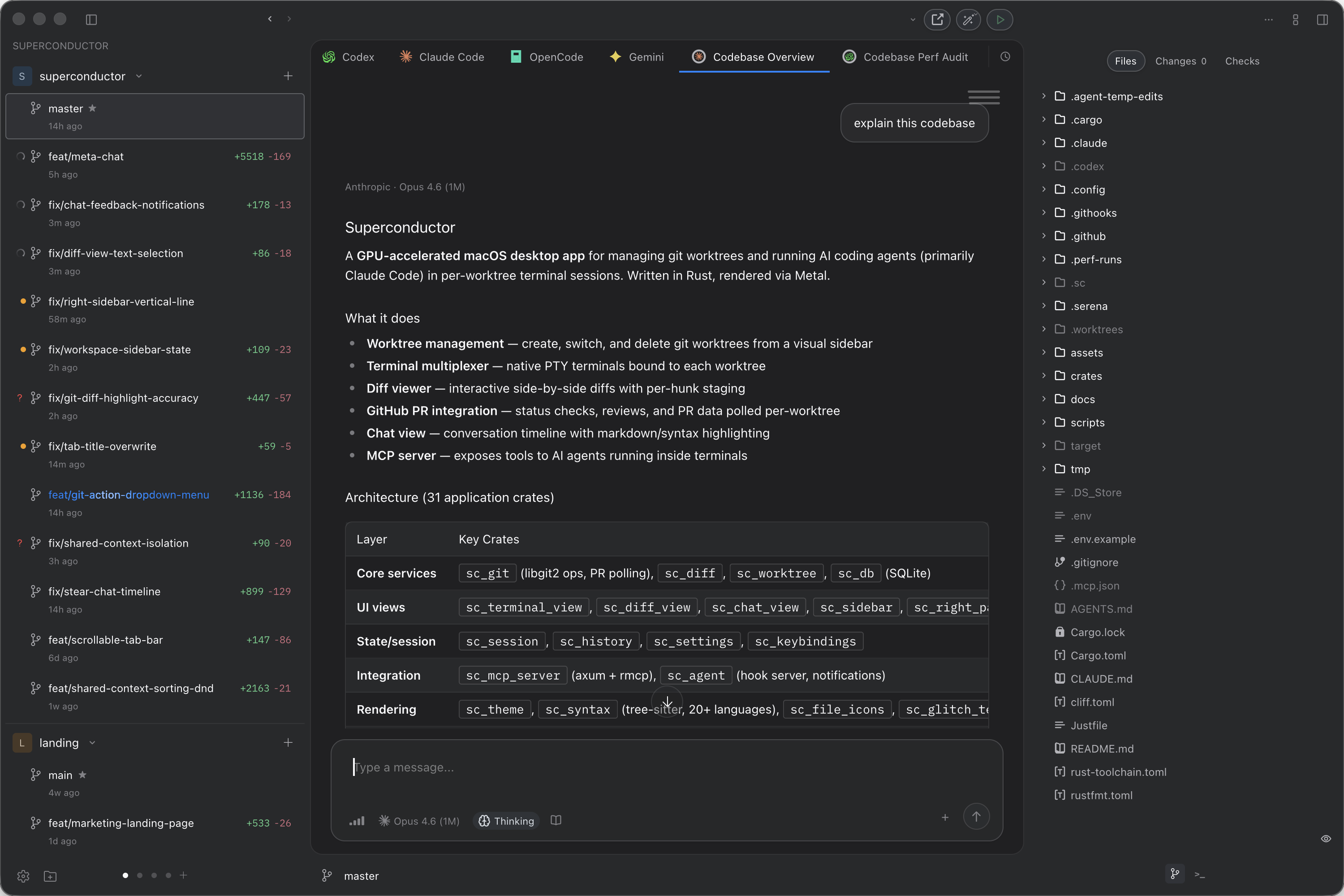
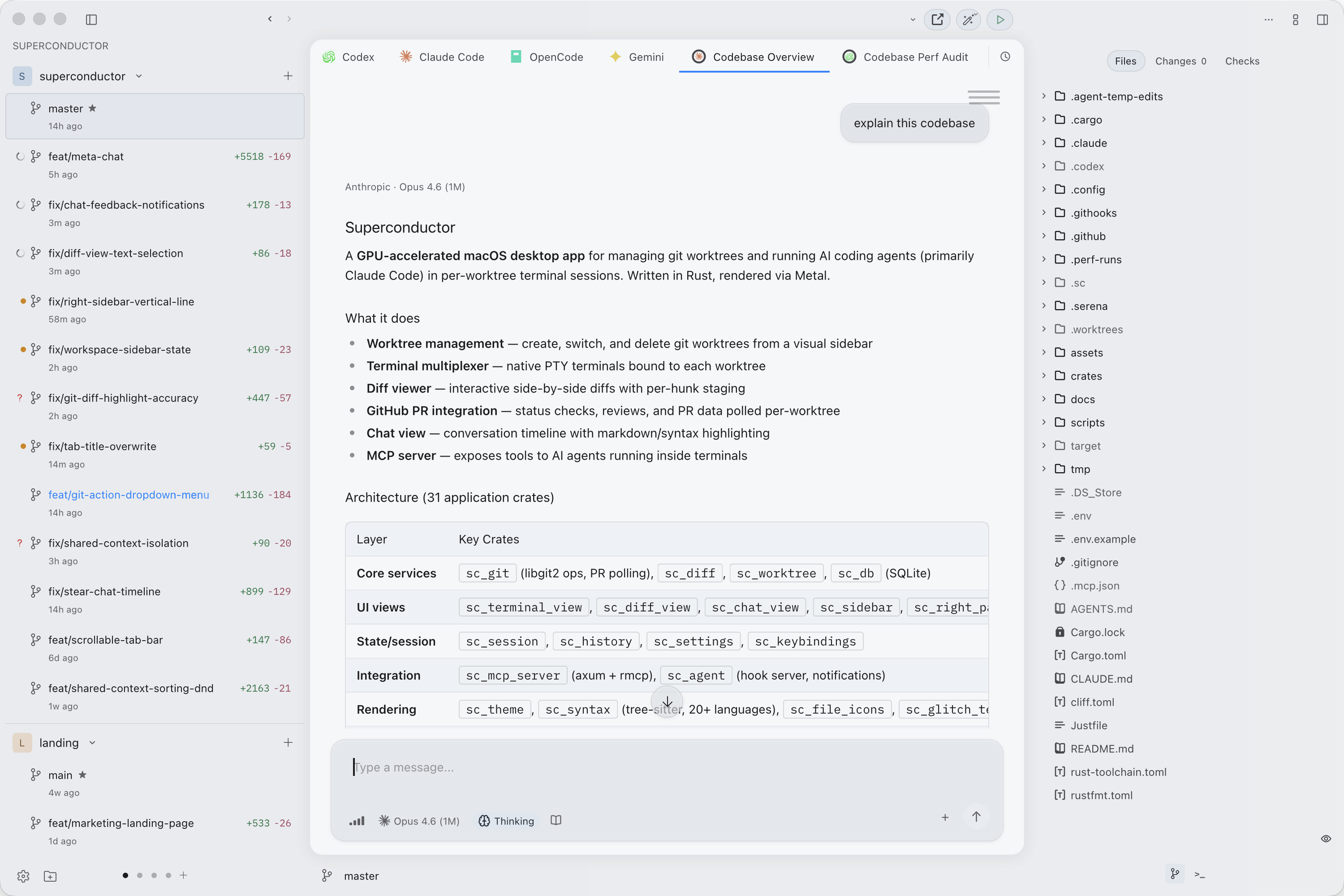
Orchestrate Claude Code, Codex, Gemini CLI, or any CLI agent in isolated git worktrees. Manage branches, review diffs, and ship from one keyboard-driven interface.
How it works
Three steps to parallel engineering
Add your repo
Open any git repository. Superconductor discovers your existing agent configuration and gets to work immediately.
Spawn agents
Create isolated worktrees and launch agents simultaneously. Bring whatever you use.
Review and ship
See diffs, manage branches, track PR status, and merge — all without leaving the app.
Performance
Native speed. No compromises.
Superconductor is 100% Rust, rendered on your GPU with Metal. No Electron runtime, no embedded browser, no web-based terminal. Just a native binary that starts in under 50ms.
Flexibility
Your workspace, your way
Multiple layouts
Stacked, horizontal, or bottom terminal — switch panel arrangements to fit how you work.
Picture-in-Picture
Float any tab in a separate window. Pin it, drag it, keep it visible while you work elsewhere.
Themes & colors
Dark, light, or system. Customize chrome colors per workspace. Choose your display, mono, and terminal fonts.
Pick up where you left off
Close the app, reopen it — every agent session is exactly where you left it. No lost context, no restarting conversations.
Terminal & chat views
Toggle between raw terminal output and a rich chat interface. See the same session both ways — CLI power when you need it, clean conversation view when you don't.
Scripts & automation
Setup, run, and teardown scripts per repository. Configure once, share with your team via git.
Built-in terminal multiplexer
Run and switch between multiple terminal sessions without leaving Superconductor. Keep agent output and context in one place.
Git workflow, one button
A smart action button that knows what comes next — commit, push, create PR, resolve conflicts, merge. Customize the steps to fit your flow.
Native notifications
macOS-native alerts when agents need attention. Choose from 15 built-in notification sounds.
Any agent, any model
Pick your agent, provider, model, and reasoning effort per session. Use your own subscriptions — nothing is proxied.
Cross-repo workspaces
Frontend and backend in one workspace. Coordinate changes across repos with shared branches and unified context.
Custom commands
Define reusable prompts and invoke them from any session. Scope them globally, per workspace, or per project.
...and much more
FAQ
Questions & answers
What is Superconductor?
Superconductor is a native macOS app for running parallel AI coding agents. Built entirely in Rust, it gives you isolated git worktrees, a GPU-rendered terminal, customizable layouts and themes, and multi-agent orchestration in a single, keyboard-driven interface. Think of it as a purpose-built workspace for agentic engineering.
How is this different from other agent orchestration tools?
Most tools in this space are built on web technology and cap you at 5-7 parallel agents. Superconductor is a native app that runs unlimited parallel agents — scaling with your hardware, not an arbitrary limit. It starts in under 50ms, renders the terminal on the GPU, and gives you deep customization: multiple panel layouts, picture-in-picture windows, per-workspace theming, configurable keybindings, and integration with 10+ editors and terminals.
What agents does it support?
Superconductor is agent-agnostic. It supports Claude Code, Codex, Gemini CLI, OpenCode, Cursor Agent, and any custom CLI agent. Agents run as native subprocesses using your existing subscriptions — nothing is proxied or wrapped.
What operating systems are supported?
macOS is currently supported with native Apple Silicon performance. Windows and Linux support are planned.
Does Superconductor collect my data?
No. Superconductor is built with a local-first architecture. All conversations, sessions, diffs, and data are stored locally on your machine. There is no telemetry, no analytics, and no data collection. AI agents run as native subprocesses — your credentials are never stored or proxied through Superconductor.
Who's behind Superconductor?
A small team of engineers who built the tool we wanted to use. Superconductor started because nothing else was fast enough or flexible enough for how we work.
How do I get started?
Download Superconductor, install it, and open any git repository. Superconductor discovers your existing agent configuration and gets to work immediately.